Every load ticket, with the picture behind it
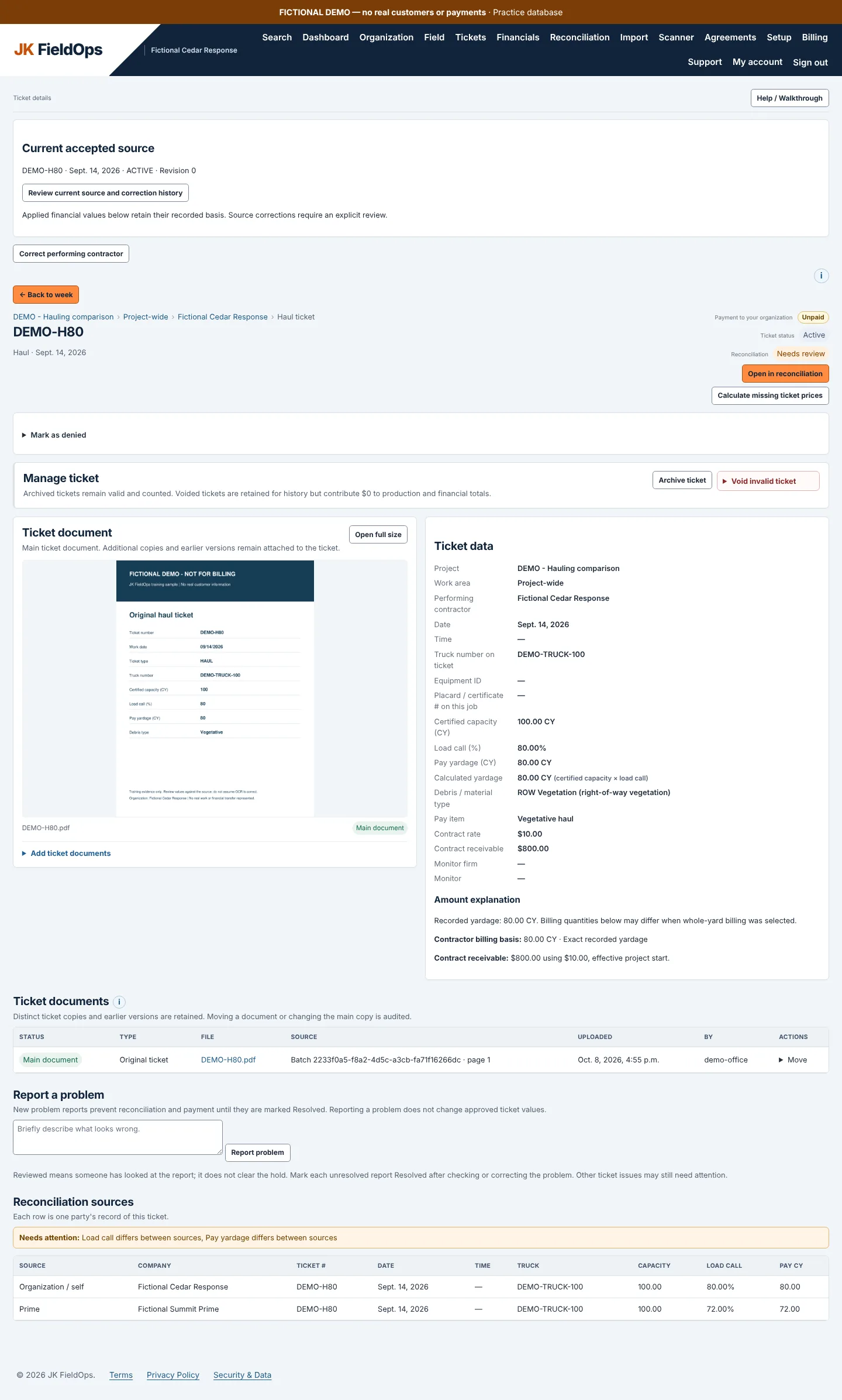
Each haul ticket in JK FieldOps shows the truck, its capacity, the load call and the payable yardage in cubic yards. Open the ticket picture to check the numbers against the paper ticket the driver was handed.
Tickets are grouped by project and period, so you can look at a day, a week or a month of loads. Filter by project or by the contractor that performed the work, and see the contract value of the loads from the project’s rates.
Drivers upload tickets from their phones
Drivers and operators don’t have to carry a stack of tickets back to the office. From the Field page they take a photo, or choose ticket photos and PDFs already on their phone, and upload them as soon as they get them. The load record moves into review while the job is still running.
The Field page shows submitted haul loads, yardage and items waiting for review. JK FieldOps needs an internet connection to upload. Where there is no service, keep the ticket or photo and upload it when the connection returns.
reads the ticket for you
JK FieldOps reads the ticket number, date and work details from the photo or PDF and uses the project setup you already have, so nobody retypes every ticket.
Clear tickets go straight in
Tickets that pass the checks can be created automatically.
Unclear tickets wait for a person
Missing, unclear or conflicting details go to Needs review instead of being treated as final.
Spreadsheets and ticket copies that arrive separately
Import load tickets from CSV or Excel and match the spreadsheet columns to ticket fields. Upload the PDF copy of a ticket later, or upload first and import later. JK FieldOps matches records on the project, ticket type and ticket number.
- A matching copy attaches to the existing ticket. It adds a document, not another load.
- Identical copies can be skipped.
- A copy with different or missing details goes to review.
When your yardage doesn’t match the prime’s
Your ticket says 80 cubic yards at an 80% load call. The prime’s record says 72. JK FieldOps puts the figures side by side, opens the ticket, and keeps your decision with it. See load ticket reconciliation for how that works.
Built for the contractor’s side of the load ticket
Monitoring firms and public agencies run their own ticketing systems, often called automated debris management systems (ADMS). JK FieldOps is for the haulers and the companies that hired them: prime contractors, subcontractors and the office staff handling the paperwork. It keeps your own record of every load so you can show what was done and what you’re owed.
Common questions
Does JK FieldOps work offline?
No. It needs an internet connection to upload and sync records. If service is down, keep the ticket or photo and upload it when the connection returns.
Can we import load tickets from a spreadsheet?
Yes. Use Import for CSV and Excel files and match the spreadsheet columns to ticket fields. A ticket copy uploaded later attaches to the imported ticket when the project, ticket type and ticket number match.
What happens if the same load ticket is uploaded twice?
If it matches an existing ticket, the copy is attached without adding the load again. Identical copies can be skipped, and copies with different details go to review.