The problem: thousands of tickets and a number that doesn’t match
Storm work moves fast and payment comes later. When the prime’s statement doesn’t match your count, someone has to dig through the tickets, compare the numbers and find the original or scanned copy to explain the difference. Doing that in separate spreadsheets can take hours for a single dispute.
See every party’s number on one ticket
Reconciliation compares your tickets with contractor, subcontractor and prime records. Monitor records can be included when you have them.
| Record | Reported |
|---|---|
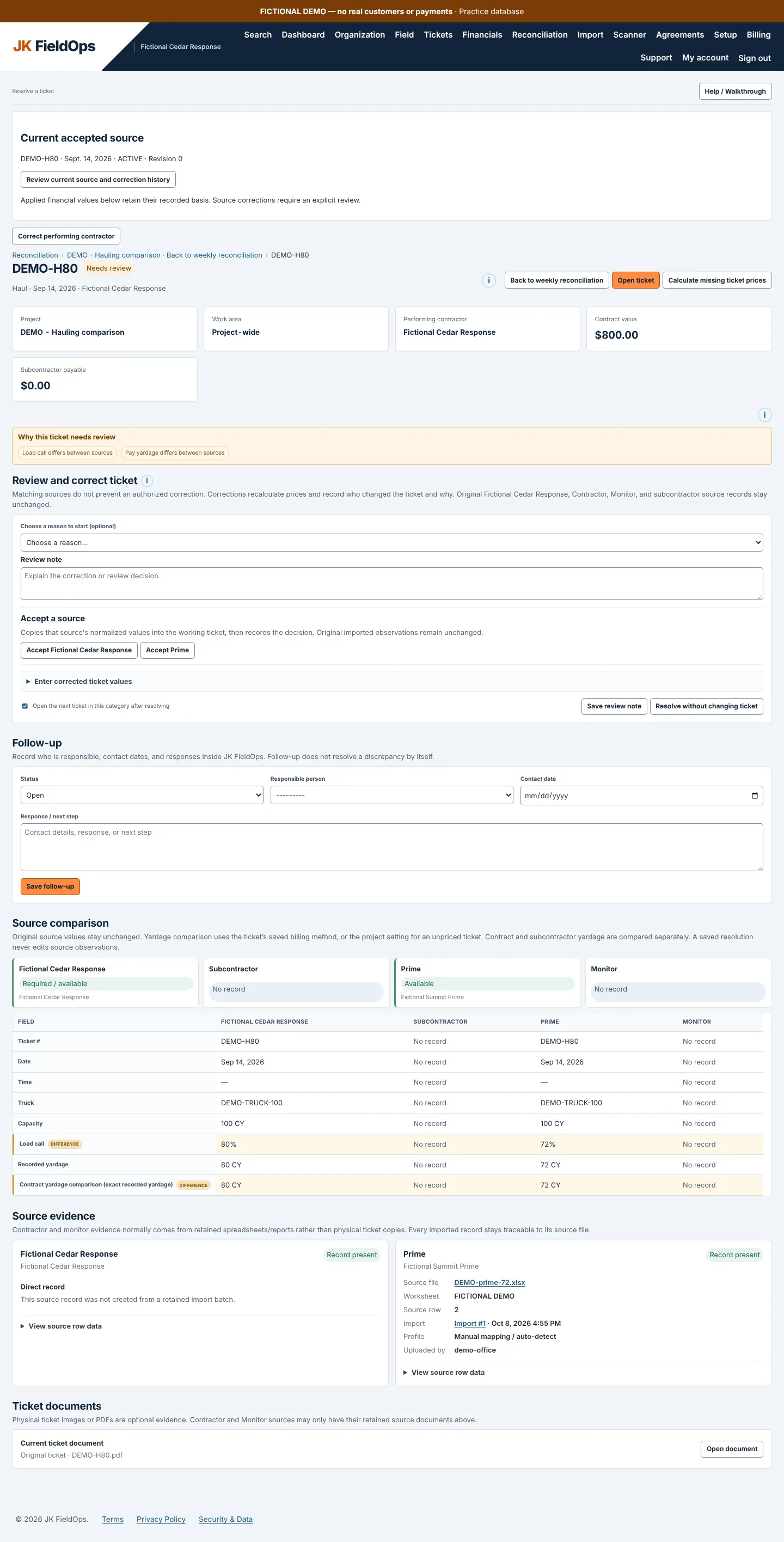
| Your company | 80 CY at an 80% load call |
| Subcontractor | 80 CY |
| Prime | 72 CY at a 72% load call |
| Monitor | 80 CY |
The prime is the only record at 72. Open the ticket, check the load call and the yardage, and you know what to send back.
Here is the same kind of comparison in the application, for fictional haul ticket DEMO-H80:
Open the evidence, then record the decision
See where records disagree
Compare haul yardage or cut-ticket measurements across the records you have.
Check what was submitted
Open the ticket picture and the source evidence behind each value.
Keep the decision with the ticket
Accept a source, enter a correction or leave a review note.
Originals stay untouched
Resolving an issue records your decision. It doesn’t change the original imported records.
The other side doesn’t have to use
To compare another party’s records, they can enter them in JK FieldOps, or your team can import the statement or export they sent you as a CSV or Excel file. Your company can also use JK FieldOps on its own to track its tickets, production and payments.
From reconciled tickets to what you’re owed
Reconciled tickets feed your receivables: recorded production value, money received, deductions and the amount not yet settled. See payment tracking.
JK FieldOps organizes the evidence. It doesn’t determine contractual entitlement or guarantee payment.
New to reconciling? Read how to reconcile debris load tickets.
Common questions
Do the prime and the monitor need to use JK FieldOps?
No. Their records can be entered by them or obtained and imported by your team from CSV or Excel files.
Does resolving a difference change the original records?
No. Resolving records your decision. The original imported records stay available.
Can it compare cut-ticket measurements as well as haul yardage?
Yes. The same comparison works for haul yardage and cut-ticket measurements.